JSON Validator: A Complete Guide to Checking and Fixing JSON Errors
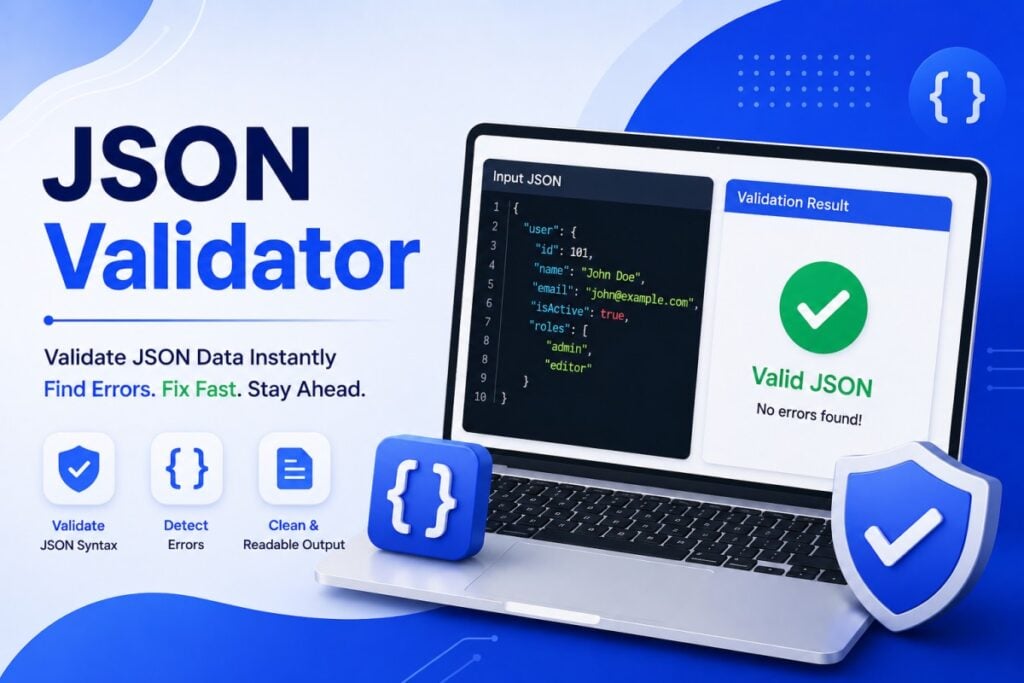
JSON is widely used to exchange data between websites, applications, APIs, and software systems. Its simple structure makes it easy for machines to process, but even a small syntax mistake can cause JSON to fail.
A JSON Validator helps identify these problems by checking whether a JSON document follows the correct syntax and structure. It can be especially useful when working with API requests, API responses, configuration files, and application data.
This guide explains what a JSON validator is, how it works, common JSON errors, and how to validate JSON effectively.
What Is a JSON Validator?
A JSON Validator is a tool that checks JSON data for syntax and structural errors.
Valid JSON must follow specific rules. Property names and strings require double quotation marks, objects and arrays must be properly closed, and values must use supported JSON data types.
For example, this is valid JSON:
{
  "name": "Alex",
  "age": 30,
  "active": true
}
If a JSON document contains an error, a validator can identify the problem and, depending on the tool, show where the error occurs.
Why Is JSON Validation Important?
JSON is often transferred directly between systems. If the structure is incorrect, the receiving application may not be able to read the data.
Validating JSON before using it can help:
- Detect syntax errors
- Troubleshoot API requests
- Check API responses
- Prevent parsing failures
- Review configuration files
- Understand unexpected application errors
- Save development and debugging time
A quick validation check can prevent a small formatting mistake from becoming a larger development problem.
How Does a JSON Validator Work?
A JSON validator parses the supplied content according to JSON syntax rules.
It checks elements such as:
- Objects
- Arrays
- Keys
- Strings
- Numbers
- Boolean values
- Null values
- Brackets and braces
- Commas
- Quotation marks
If everything follows the required syntax, the validator reports that the JSON is valid.
If something is wrong, it typically reports an error and may provide a line or position where the problem was detected.
Common JSON Errors
Understanding common JSON errors can make troubleshooting much easier.
1. Missing Commas
Properties inside an object need to be separated with commas.
Incorrect:
{
  "name": "Alex"
  "age": 30
}
Correct:
{
  "name": "Alex",
  "age": 30
}
The missing comma between the two properties can cause a parsing error.
2. Using Single Quotes
JSON requires double quotation marks for strings and property names.
Incorrect:
{
  'name': 'Alex'
}
Correct:
{
  "name": "Alex"
}
This is one of the most common mistakes when JSON is confused with programming-language object syntax.
3. Trailing Commas
Standard JSON does not allow an extra comma after the final property.
Incorrect:
{
  "name": "Alex",
  "age": 30,
}
Correct:
{
  "name": "Alex",
  "age": 30
}
4. Missing Brackets or Braces
Every opening object or array must have the appropriate closing character.
For example, an object starts with { and ends with }, while an array starts with [ and ends with ].
5. Incorrect Nesting
JSON can contain objects inside arrays and arrays inside objects. However, the opening and closing characters must be correctly arranged.
A validator can help identify structural problems in deeply nested JSON.
6. Invalid Values
JSON supports specific types of values:
- String
- Number
- Boolean
- Object
- Array
- Null
Values that do not follow JSON syntax can result in validation errors.
How to Validate JSON Online
A JSON Validator Online can be useful when you need to check data quickly without installing software.
Step 1: Copy Your JSON
Copy the JSON from your API response, application, configuration file, or development environment.
Step 2: Open a JSON Validator
Choose a JSON validation tool.
Step 3: Paste the JSON
Place your data into the validator’s input field.
Step 4: Run the Validation
Select the validate or check option.
Step 5: Review the Result
If the JSON is valid, the tool should confirm that it follows the expected syntax.
If it is invalid, review the reported error and its location.
Step 6: Correct the JSON
Fix the identified problem and validate the document again.
JSON Validator for API Development
APIs frequently use JSON for sending requests and returning responses.
For example, a registration API might expect:
{
  "name": "Alex",
  "email": "alex@example.com",
  "password": "example"
}
If the request contains invalid JSON, the API may reject it before processing the information.
Validating JSON before sending an API request can therefore make troubleshooting easier.
Developers can also validate API responses when they suspect that an endpoint is returning unexpected or malformed data.
JSON Validator vs JSON Formatter
A JSON Validator and JSON Formatter perform different tasks.
JSON Validator: Checks whether JSON is syntactically valid.
JSON Formatter: Organizes JSON to make it easier to read.
Many online tools combine both functions.
For example, a tool may first check whether the JSON is valid and then display it with indentation and syntax highlighting.
Using both features can be helpful when working with large API responses or complicated JSON files.
JSON Validator vs JSON Parser
A JSON parser converts JSON text into a data structure that a programming language or application can work with.
A JSON validator focuses on checking whether the JSON follows valid syntax.
In practice, parsers often reject invalid JSON automatically. A dedicated validator can make the error easier for a developer to identify before the data reaches an application.
JSON Schema Validation
Basic JSON validation checks syntax, but some projects require additional checks.
For example, an application may require:
- A
nameproperty - An
emailproperty - An
agevalue to be a number - A particular property to be required
- An array to contain specific types of values
This is where JSON Schema can be useful.
JSON Schema provides rules for describing the expected structure and content of JSON data.
This allows applications to perform more detailed validation than simple syntax checking.
Why Use JSON Schema?
JSON Schema can help teams define consistent data structures.
It can be useful for:
- API documentation
- Data validation
- Application development
- Automated testing
- Configuration validation
- Data exchange between systems
For larger projects, schema-based validation can provide an additional layer of reliability.
JSON Validation for Developers
Developers can use JSON validators throughout the development lifecycle.
During API Testing
Validate request bodies before sending them to an endpoint.
During Debugging
Check whether an unexpected response contains malformed JSON.
During Development
Validate JSON configuration files before running an application.
During Testing
Use validation to ensure generated JSON follows the expected syntax.
During Integration
Check data exchanged between different applications or services.
Benefits of Using a JSON Validator
Saves Time
Finding a missing comma manually in a large JSON document can be frustrating. A validator can point toward the problem much faster.
Reduces Parsing Errors
Validating JSON before processing it can reduce avoidable parsing failures.
Improves API Testing
Developers can check request and response data more efficiently.
Helps Beginners
Error messages can help new developers understand JSON syntax rules.
Supports Large JSON Documents
Validation becomes particularly useful when JSON contains many nested objects and arrays.
What Makes a Good JSON Validator?
When choosing a JSON validation tool, look for features that match your requirements.
Clear Error Messages
The tool should explain what went wrong in understandable terms.
Error Location
Line and column information can make debugging easier.
Formatting
A formatter can help you inspect the structure after validation.
Syntax Highlighting
Different JSON elements can be visually separated.
Large Input Support
Developers working with large responses may need a tool capable of processing substantial JSON documents.
JSON Schema Support
Advanced projects may benefit from schema-based validation.
Is an Online JSON Validator Safe?
Online validation is convenient, but you should be careful about the data you submit.
Avoid pasting sensitive information such as:
- Passwords
- API keys
- Authentication tokens
- Customer information
- Private company data
- Financial records
- Confidential application data
For sensitive JSON, an offline validator or local development tool may be a safer option.
Tips to Avoid JSON Validation Errors
You can reduce common mistakes by following a few simple practices:
- Always use double quotation marks for strings.
- Check commas between properties.
- Remove trailing commas.
- Match every opening and closing bracket.
- Keep nested objects and arrays properly structured.
- Validate JSON before sending API requests.
- Use a formatter to make complex JSON easier to inspect.
- Consider JSON Schema when an application requires a specific data structure.
Frequently Asked Questions
What is a JSON Validator?
A JSON Validator checks JSON data against standard JSON syntax rules and identifies errors that could prevent the data from being parsed correctly.
Can a JSON Validator fix errors automatically?
Some tools may offer suggestions or correction features, but validation itself primarily identifies problems. You should review any automatic changes before using the corrected JSON.
What is the difference between JSON validation and formatting?
Validation checks whether JSON is syntactically correct. Formatting changes the presentation by adding indentation and line breaks.
Why is my JSON invalid?
Common reasons include missing commas, single quotes, trailing commas, unmatched brackets, incorrect nesting, or invalid values.
Can I validate API responses?
Yes. A JSON validator can be used to check whether an API response is syntactically valid JSON.
What is JSON Schema validation?
JSON Schema validation checks JSON against a defined structure and rules, such as required properties, allowed data types, and expected values.
Conclusion
A JSON Validator is a useful tool for checking whether JSON data follows the correct syntax before it is processed or exchanged between applications. It can help developers identify missing commas, incorrect quotation marks, unmatched brackets, and other common problems.
For everyday development, combining JSON validation and formatting provides a practical workflow: validate the data for correctness, then format it for easier reading and debugging.
Whether you work with APIs, configuration files, web applications, or data integrations, validating JSON can help create more reliable and predictable software.