Simple Ways to Organize Your Everyday Home Tech Setup
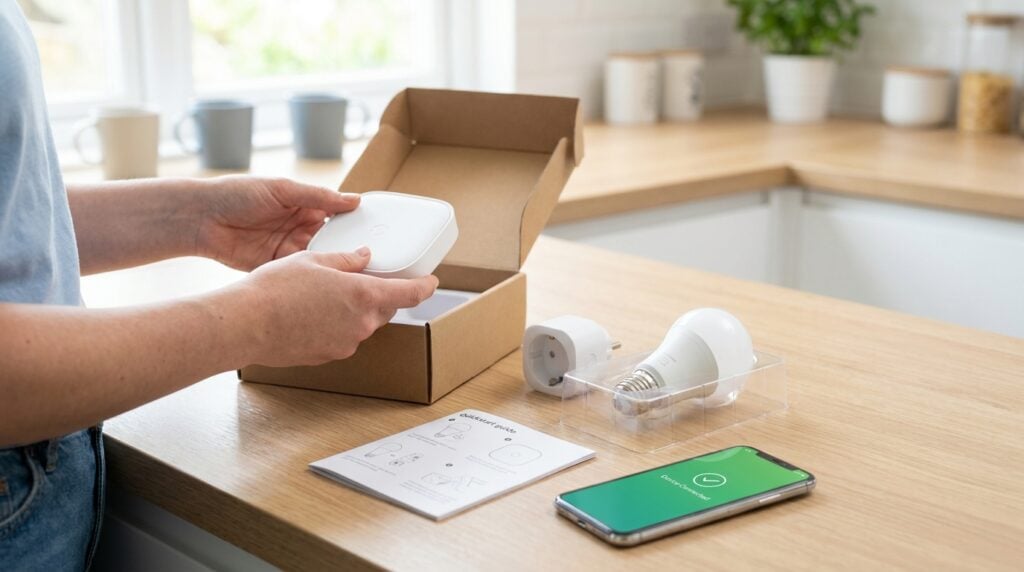
Modern households are filled with an ever-expanding collection of screens, cables, power bricks, and smart hardware. Between remote work, streaming entertainment, and family communications, our living spaces often absorb dozens of small electronic items before we even realize how crowded things have become. What begins as a convenient gadget purchase can quickly transform into a tangled drawer of mysterious cords and blinking indicator lights that create background stress.
Creating a functional, calm tech environment does not require specialized technical skills or a total overhaul of your home. It simply takes an intentional approach to how your devices connect, where your files live, and how you interact with screens every day. When your hardware works smoothly in the background, your home feels lighter, more organized, and considerably more comfortable.
Audit Your Daily Devices and Accessories
Before buying storage bins or reorganizing your entertainment center, start by taking stock of what you actually pick up and use on a typical day. Most people possess several items that have quietly aged out of usefulness, such as older charging cables for discontinued ports, redundant power adapters, and protective cases for devices they no longer own.
Gather all the loose electronics from your desk drawers, nightstands, and living room shelves into one central spot. Sort them into clear groups: daily essentials, occasional tools, and items you have not touched in several months. Daily essentials should stay within easy reach, while occasional gear can be tucked neatly into a designated closet bin.
Items that no longer serve a purpose should be safely recycled or donated. Many electronics retailers offer free drop-off bins for old peripherals and rechargeable batteries. Clearing away the obsolete clutter immediately frees up physical room and mental clarity, making the remaining setup much easier to manage.
Establish Dedicated Charging and Cable Hubs
One of the quickest ways to make a room look chaotic is an uncontrolled web of charging wires snaking across kitchen counters and bedside tables. Cable chaos also makes it frustrating to find the exact cord you need when a battery level drops right before an important conversation or workday task.
Designating one or two centralized charging stations can completely transform your living space. A shallow wooden tray or a ventilated cord management box on an entryway console or side table can hold a multi-port power strip completely out of sight. Keep only the cords you use daily plugged into this hub, and use small hook-and-loop straps to bundle excess length.
For home offices, mounting power strips underneath the desk surface keeps wires off the floor. Running monitor and power cords along the backside of desk legs with simple adhesive clips creates a clean, intentional workspace that invites focus rather than distraction.
Protect Local Storage and Choose Dependable Hardware
In an era where many people rely on remote cloud services, physical storage drives and reliable personal hardware remain essential cornerstones of a safe home setup. External hard drives, high-speed flash media, and dependable memory cards allow you to keep family photo archives, work portfolios, and personal documents directly under your control without recurring subscription fees.
Finding the right balance between solid-state drives for fast transfers and high-capacity desktop drives for long-term archives takes a little forethought. Exploring reliable advice on platforms like yourgadgetguide.net makes it easier to select durable storage units and useful accessories that fit your daily workflow without overcomplicating your desk. Choosing quality hardware upfront saves you from the sudden heartbreak of a corrupted drive or a failed backup.
Make a habit of using a redundant backup routine for your irreplaceable records. Keep one active copy on your primary computer and another identical copy on an external hard drive stored safely in a drawer. This dual-layer approach provides peace of mind against accidental deletion or sudden hardware failure.
Create Harmony Across Complex Home Networks
As smart televisions, audio hubs, home climate controls, and household tablets all share the same wireless signal, home connections can become surprisingly complicated. When too many gadgets fight for bandwidth in the same room, video streams buffer, video calls stutter, and smart switches occasionally fail to respond.
Understanding how your router distributes signals is the key to preventing everyday network bottlenecks. Placing your main wireless router in an open, elevated location near the center of your home rather than inside a closed cabinet drastically improves signal strength across all rooms. If your home has multiple levels or dense walls, a mesh system can distribute coverage evenly without requiring complex cabling.
Managing multiple linked devices requires clear organization, especially when personal workstations and smart home hardware share the same network. Reading practical overviews on resources like digital-polyphony.com helps simplify these multifaceted setups, offering valuable guidance on how to keep your smart environment running smoothly and securely. Separating smart household appliances from your primary work computers by creating a separate guest network is an effective, straightforward way to protect your sensitive data while keeping everything running seamlessly.
Build a Manageable Maintenance Routine
A well-organized tech setup stays organized only if you give it brief, regular attention. You do not need to spend hours troubleshooting every weekend; setting aside just ten minutes once a week keeps clutter from creeping back into your living areas.
Here is a straightforward weekly checklist to keep your home tech running smoothly:
- Inspect charging cords for fraying or bent pins, replacing any damaged wires immediately.
- Clean screens and keyboards with a dry microfiber cloth to remove dust and oils.
- Empty the downloads folder on your computer to prevent forgotten files from wasting space.
- Run pending software updates during downtime so security protections stay current.
- Confirm that your external backup drive completed its scheduled weekly file transfer.
Taking care of these minor chores on a steady schedule prevents small glitches from snowballing into disruptive hardware headaches. It also extends the physical life of your equipment, saving you the hassle of unexpected replacements.
Bringing order to your household electronics is not about adopting an extreme minimalist lifestyle or abandoning modern conveniences. Rather, it is about creating a supportive environment where your tools serve you quietly and reliably throughout the day. When your cables are managed, your storage is secure, and your network is properly balanced, technology shifts from a source of daily friction into a genuine asset for your home.
By taking small, deliberate steps to audit your gear, streamline your charging hubs, and maintain healthy connections, you can enjoy all the benefits of modern lifestyle tech without the accompanying clutter. A clean, dependable digital foundation allows you to focus on what truly matters in your daily life, both on and off the screen.